 심천 워싱 기술 유한공사


가공 공정에서 기계 충돌을 피하는 방법은?
Machine collision has always been an inevitable challenge in prototype and part machining. Operator errors, such as failing to perform tool settings, can lead to crashes. It will result in broken tools, scrapped workpieces, and reordering and reprocessing materials.
In addition, without the automatic tool setter, manual tool setting when entering Z-value data error can also cause machine collision. In this article, we will share our summarized experiences to help you avoid this issue.

Three Main Causes Of Machine Crashes
Before understanding how to avoid workpiece damage caused by machine collision, it is essential to understand the main reasons behind them.
Toolpath Issues By Programming Engineers
The CNC programming software MasterCam uses a method of adopting elements of surfaces and lines for machining. If the auxiliary surfaces are not fully enclosed and have missing areas, there is a risk of machine collision. However, these risks can be identified through computer-simulated machining verification, which can check for overcuts on the workpiece to avoid the risk.
CNC Operator’s Operational Issues
There are commonly three setting problems that will cause the crashing.
- Calling the Wrong Program for Machining: CNC machine operations are controlled by program instructions. When calling a program for machining, the operator must verify that the program name, tools, and clamping lengths match the program sheet.
- Calling the Wrong Coordinate: Sometimes, multiple workpieces are machined simultaneously on a CNC machine, there are multiple coordinates such as G54 and G56. Therefore, Calling the wrong coordinate can also lead to machine collision.
- Missing Tool Setting or Incorrect Z-Value Data Entry: After the program starts, the tool movement needs to match the actual position of the tool tip with the Z-value data displayed on the machine screen. If there is a significant discrepancy between them, the machining process should be immediately stopped to recheck the program and tool setting data for errors.
Mechanical Failures or Tool Holder Wear
While the probability of this happening is low with regular maintenance and care of equipment and tools, it can still lead to tool drops and crashes during machining.
How To Prevent Machine Collision Using Trial Cutting Methods?
After understanding the main causes of machine collision, it should implement effective preventive measures. In this section, we will focus on how to adopt trial-cutting methods to avoid machine collision when tool setting is missed or Z-value data entry errors occur.
Trial Cutting Method for Workpieces with Frames
When a workpiece has a frame, the boundary line is typically used for trial cutting. As shown in the figure, the yellow line represents the boundary line, and only a short distance needs to be trial cut.

In the trial cutting process, the Z-value height should be the same as the border height. With a 200mm straight distance and a feed rate of 3000F/MIN, the trial machining time is 4 seconds, plus about 2 seconds for lowering and raising the tool, totaling around 6 seconds.
The above is a simple method that uses the same spot for trial cutting with each tool. So it is only to verify if the tool setting is too deep, avoiding overcutting or crashing.
Trial Cutting in Different Machining Areas
In most cases, except for face sweeping tools, each machining tool should perform trial machining in different areas. In the trial cutting process, the machining depth can be set to the frame plane -0.02MM. If the tool setting is correct, a slight machining mark will be visible after trial machining; if too deep, a more profound mark will appear; if too high, no mark will be seen.
Since this method relies on visual judgment, the error margin is estimated to be 0.05-0.1MM. Unlike using the same spot for trial cutting with each tool, this method checks if the tool setting is too high.
As the marked number in the above figure, the number of trial cuts can be adjusted based on the number of machining tools. However, each trial cut requires a manual judgment, taking about 2 minutes per trial, making it unsuitable for mass production.
Face Sweeping Machining for Workpieces with Frames
For parts with borders that require face machining, the first face sweeping tool does not need trial machining as its starting point is outside the workpiece.

Trial Cutting for Workpieces without Frames
For workpieces without frames, such as those needing re-machining after 3-axis processing of both front and back sides. The trial cutting is done on the positioning reference or fixed block to avoid machine collision.
권장 사항
CNC 가공 중 크고 얇은 쉘 부품의 뒤틀림과 변형을 방지하는 방법은 무엇입니까?
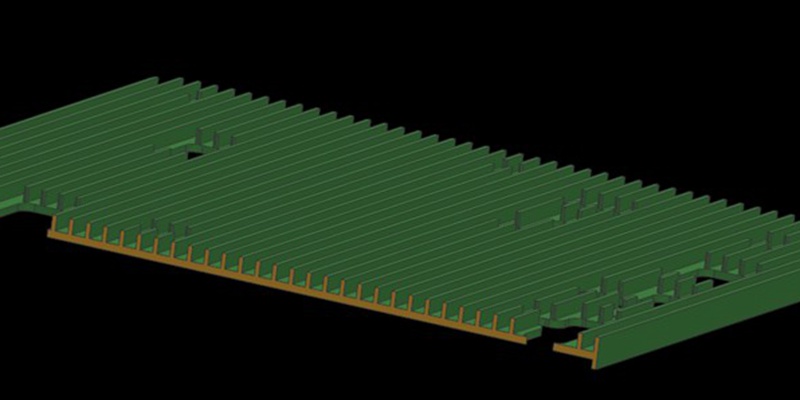
크고 벽이 얇은 쉘 부품은 가공 중에 뒤틀리고 변형되기 쉽습니다. 이번 기사에서는 벽이 크고 얇은 부품의 방열판 케이스를 소개하여 일반 가공 공정에서 발생하는 문제점에 대해 설명합니다. 또한 최적화된 공정 및 픽스처 솔루션도 제공합니다. 그럼 시작해 보겠습니다! 케이스는 AL6061-T6 재질로 만들어진 쉘 부품입니다. 정확한 치수는 다음과 같습니다. 전체 치수: 455 * 261.5 * 12.5mm지지 벽 두께 : 2.5mm방열판 두께 : 1.5mm그는 ...
Press Fit Tolerance: Defination, Practices, And Calculation
The manufacturing industry is highly precision-centric, where even the slightest of margins can create huge differences in product quality, cost, and utility. This article discusses the topic of press fitting, where a few micrometers of deviation dictates the criterion for part failure. So, what is press fit and, the factors influencing press fit tolerancing, and present an example of a press fit calculator. We will also share some key tips to keep in mind while designing components for p...

브리지 생산 및 제조: 주요 단계 및 이점
최종 생산 공정을 채택하려면 특히 프로토타입 제작이나 소량 생산 과정에서 수많은 시행착오와 실패가 수반되는 경우가 많습니다. 기업은 접근 방식에 확신을 가질 때까지 일시적으로 생산 방법을 선택할 수 있습니다. 브리지 생산은 이러한 임시적인 전략을 말하며, 보다 안정적인 제조 프로세스를 개발하는 동안 지속적인 운영을 가능하게 합니다. 브리지 생산을 이해하는 것은 제품 개발을 개선하고 운영을 가속화하기 위해 매우 중요합니다. 이 문서...

How To Create A Prototype With Steps: An Expert Guide
A prototype is an early version or physical model of a product idea that manufacturers can test and refine before investing in mass production. It acts as a product template and provides a practical approach to understanding a product’s appearance and function before production. When developing a product, product teams create a product prototype to test the product’s usability, design, and performance, gather user feedback, identify potential issues in the early stages, and identify possib...